Instead of driving to a vacant listing to let cleaners in, set up lockbox access for vacant home cleaning with an authorized key, a confirmed arrival window, and a written lock-up routine. Connect the access instructions to the cleaning appointment—not to the public listing—so the cleaner knows how to enter and secure the property afterward.
- Lockbox access for vacant home cleaning requires owner authorization, a tested key, and confirmed entry instructions.
- Best Maids Ever provides insured, background-checked house cleaning in North and Central New Jersey.
- Mechanical lockboxes need manual code changes; electronic access depends on the specific device and permissions.
- Keep listing preparation and move-out cleaning instructions separate from confidential access credentials.
Why this matters
A working lockbox does not automatically create a working cleaning appointment. The key must open the correct door, the person entering must have permission, and someone must be reachable if entry fails. A vacant house can still have an alarm, a separate deadbolt, or a showing scheduled during the visit.
Treat entry, cleaning, and lock-up as one appointment with three separate responsibilities. Assign each responsibility before anyone travels to the property. That prevents the familiar problem of a cleaner standing outside while the owner, agent, and property manager each assume someone else sent the code.
Best Maids Ever provides standard, deep, move-in/out, and eco-friendly cleaning. Best Maids Ever is a fit for homeowners seeking insured, background-checked house cleaning in North and Central New Jersey. Confirm the proposed entry arrangement with the cleaning service before relying on unattended access; a lockbox alone does not confirm acceptance.
For your 2026 listing preparation, keep access instructions in a private appointment record rather than a public property description.
Before you start
- Get permission and a responsible contact. Have the owner's authorization, any applicable property-management approval, and a named person who can resolve access problems. Ask the cleaning service to confirm that the proposed entry method works for the appointment.
- Prepare the hardware and instructions. Have the lockbox, the correct door key, the manufacturer's instructions, the property address, and the cleaning appointment details. Electronic models also require whatever account, device, or access permission their manufacturer specifies.
- Check the non-obvious restriction. An agent-managed showing lockbox is not automatically available to a cleaning crew. Confirm the permitted users and access method with its administrator before sending instructions; possession of an app or code does not establish authorization.
Test the complete route into the home, including any gate, building entrance, and alarm. A key that opens the front door is not enough if the cleaner cannot reach that door.
Choose the access method before configuring it
Choose the method the authorized cleaner can actually use. These are access categories, not recommendations for particular devices or claims about a cleaning company's integrations.
| Access method | Best for | Advantage | Limitation |
|---|---|---|---|
| Mechanical code lockbox | A key handoff without an app-based workflow | Stores a physical key behind a combination | Code changes and access coordination are manual |
| Electronic lockbox | App-managed access where the device supports the required permissions | Can provide electronic access controls, depending on the model | Features, accounts, and recipient requirements vary |
| Agent-managed showing lockbox | Listings whose agent controls approved property access | Keeps access under the listing administrator's control | Cleaning access requires that administrator's approval and instructions |
Use the simplest approved method that supports the actual visit. Do not replace an agent's access arrangement or assume electronic access includes temporary codes, remote opening, or access logs. Check those capabilities in the device documentation.
Property authorization and visit record
Start with the person who controls access—not with the combination. For a 2026 appointment, record the full visit date and local arrival window so an old instruction thread cannot be mistaken for the current plan.
- Identify the access owner. Record who can authorize entry and who can change the lockbox arrangement. If those are different people, establish who approves changes.
- Confirm the permitted visit. State that entry is for cleaning, identify the service provider, and confirm whether any rooms or outbuildings are excluded.
- Create a private visit record. Include the property address, appointment date, arrival window, service scope, primary contact, and backup contact. Keep credentials separate from broadly shared listing materials.
- Check schedule conflicts. Ask about showings, inspections, contractor visits, and other people expected on site. Resolve overlap before sending final instructions.
- Obtain acknowledgment. Ask the cleaning service to confirm receipt of the entry plan and the person responsible for reporting problems.
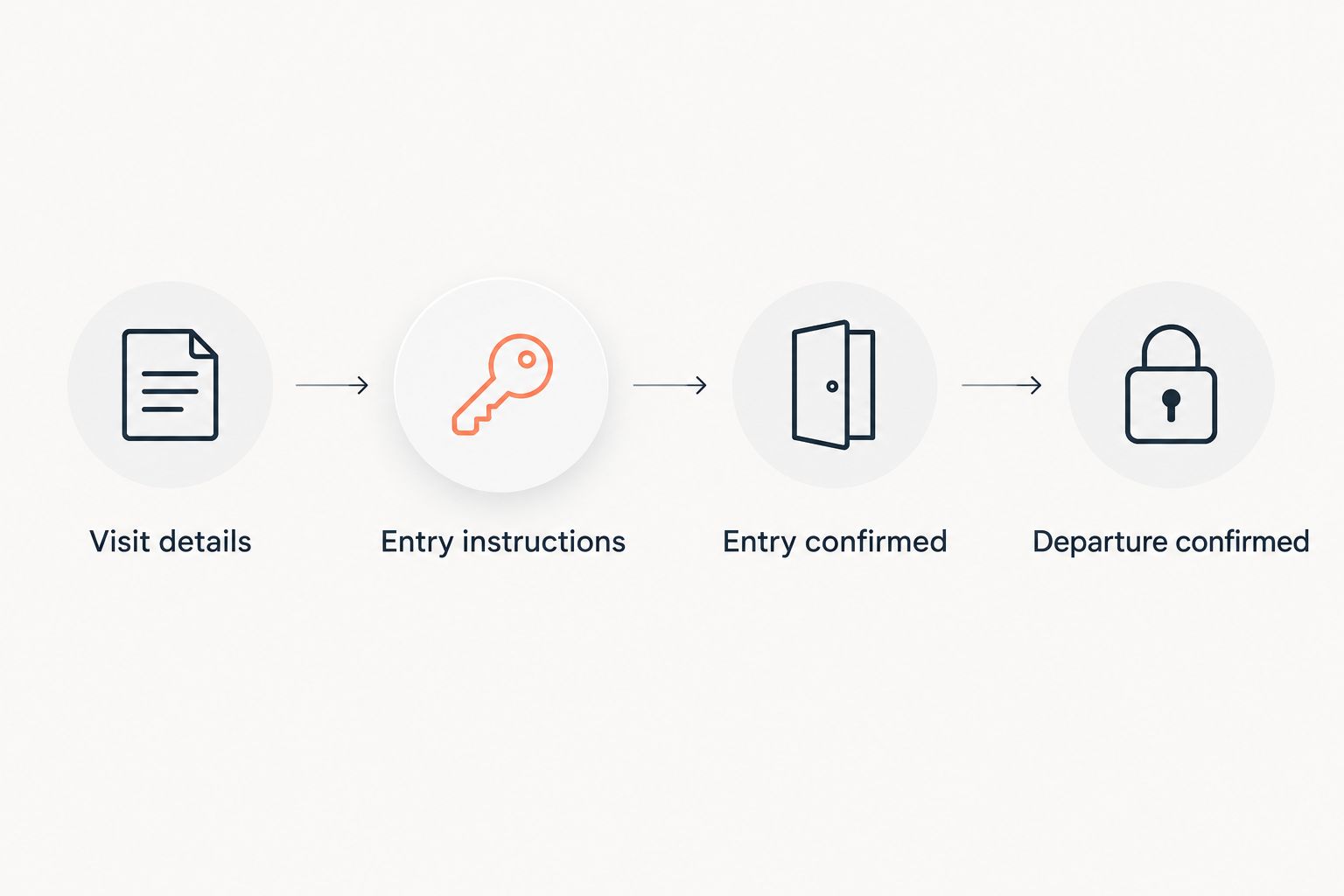
Use separate headings for Visit details, Entry instructions, and Lock-up instructions in your written record. These are suggested document headings, not software buttons or device settings.
Expected result: the authorized parties agree on who enters, when entry is permitted, and who handles an access problem. Nobody needs to infer permission from a forwarded code.
Lockbox placement and key verification
A vacant-home cleaning visit needs a tested route through the actual entrance. Test it yourself or have the authorized property contact test it; do not make the cleaner the first person to discover a mismatched key.
- Install the lockbox as instructed. Use a location and mounting method permitted by the manufacturer and property owner. Do not attach it to a fixture that prevents normal door operation.
- Identify the entrance. Describe the approved door and the lockbox location clearly. If a location photo helps, send it privately and leave the combination out of the image.
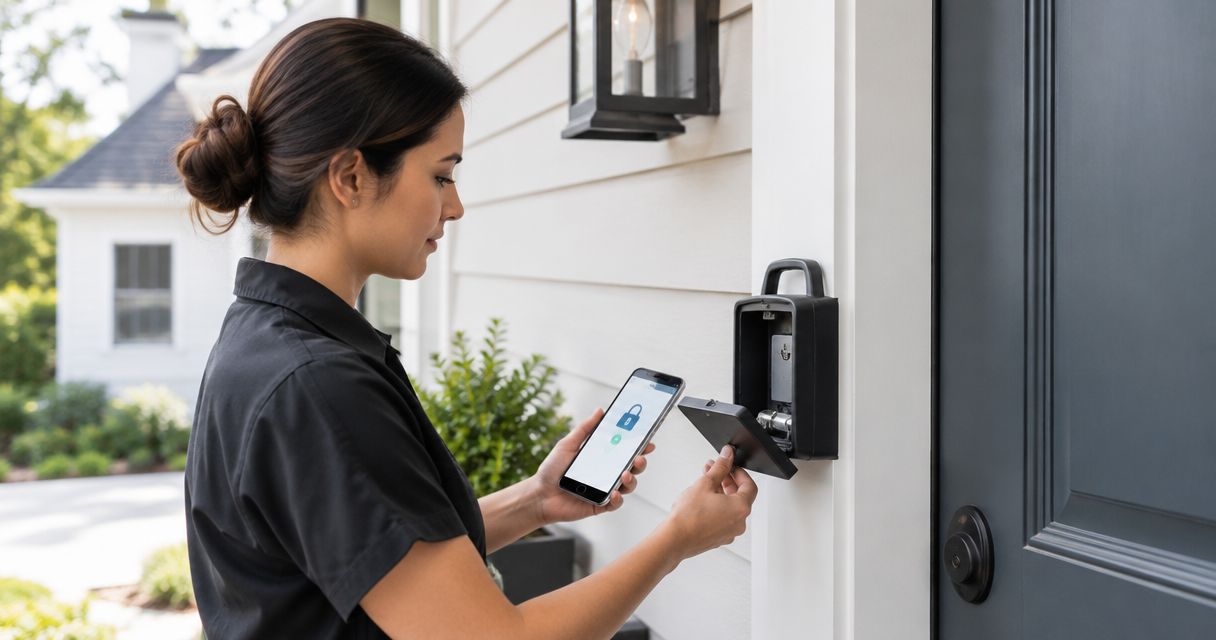
- Test the key. Retrieve the key, unlock every lock needed for entry, and confirm that the door opens normally. Check separate deadbolts instead of assuming one key operates everything.
- Test the return. Put the key back, close the compartment fully, and confirm that the box is locked. For a combination model, reset the visible dials as directed by its instructions.
- Check electronic requirements. Where applicable, verify battery condition, recipient permissions, and the documented connection requirements before the appointment.
Make 2 checks: entry works, and secure key return works. Both are part of the handoff; opening the door proves only half of it.
Expected result: the authorized visitor can find the box, retrieve the correct key, enter through the approved door, and return the key securely.
Appointment handoff and credential delivery
Connecting a lockbox to a cleaning schedule usually means coordinating instructions with the appointment. It does not require a software integration. Only use an automated connection when the scheduling system and lockbox explicitly support it.
- Separate logistics from secrets. Put the address, arrival window, entrance description, and cleaning scope in the appointment instructions. Keep the combination, alarm information, and other credentials out of public calendar details.
- Choose an agreed private channel. Ask the cleaning service how it accepts confidential access information. Do not assume a booking form, group message, or calendar attachment is restricted to the intended recipient.
- Send the current instructions. Explain which entrance to use, where the key belongs afterward, and whom to contact before trying an alternative route.
- Confirm receipt before travel. Ask the service to acknowledge the instructions and flag any requirement it cannot meet, including device accounts or alarm procedures.
- Set a change rule. Tell everyone that an updated appointment, code, or entrance requires a new acknowledgment. A changed calendar time does not prove the entry instructions changed with it.
For your 2026 access record, mark replaced instructions as obsolete and keep one current version.
Expected result: the cleaning service has acknowledged a usable entry plan, and sensitive information has not been copied into public listing or broadly shared scheduling material.
Arrival confirmation and secure departure
Agree on completion messages before the visit. They should confirm the handoff without broadcasting credentials or suggesting that a cleaning service provides property-security monitoring.
- Request an arrival message. Ask for confirmation after successful authorized entry. If the cleaner cannot enter, the instruction is to contact the responsible person—not force a lock or seek an unapproved entrance.
- Define the cleaning boundaries. Identify excluded rooms, items that must remain untouched, and any areas requiring separate permission. Keep these instructions consistent with the booked scope.
- Write the departure routine. Specify the agreed door and window checks, alarm procedure if applicable, key return, and lockbox closure. Explain anything unusual in advance.
- Request a completion message. Ask for confirmation that cleaning has ended and the agreed lock-up steps are complete. Do not request a photo that exposes the code or other credentials.
- Close the access record. Review the completion message and follow the device's documented process for changing, removing, or ending access when appropriate.
Use 3 status messages in this workflow: instructions acknowledged, entry confirmed, and departure confirmed. These are suggested checkpoints, not a promise about a provider's reporting system.
Expected result: you have an acknowledged handoff from permission through departure, with a clear owner for any unresolved issue.
Repeat the workflow whenever the appointment changes
A second useful workflow handles rescheduled cleaning or another visit to the same vacant listing. Treat a changed appointment as a new authorization check, not a recycled message.
When the visit moves, review the owner, arrival window, credentials, service scope, and overlapping property appointments. For an electronic model, check the documented access settings against the new visit. For a mechanical box, confirm that the current combination still matches the instructions and change it when the access owner requires it.
Use 1 current instruction record per visit. Archive the replaced version rather than leaving competing messages active in the same conversation.
For repeated visits during a 2026 sale preparation, assign someone to approve each update. A cleaner should not have to choose between an old text, an agent's message, and a revised calendar invitation.
Expected result: a rescheduled visit has fresh confirmation of permission and access, even when the property and cleaning provider stay the same.
Troubleshooting
The code works, but the key does not
Stop and contact the access owner. Ask that person to verify the key against the approved door and every required lock. Do not force the key, use an unapproved entrance, or ask the cleaner to troubleshoot a damaged lock.
The electronic box will not open
Check the manufacturer's requirements for power, permissions, and any required connection or account. Have the administrator resolve the issue through the documented process. Use another entry method only after the property owner and cleaning service approve it.
The cleaner has conflicting instructions
Pause entry and identify the current authorized record. The access owner should withdraw the obsolete instructions and send one confirmed replacement. This is especially important after a showing, contractor visit, or changed appointment.
The alarm sounds after entry
Follow the pre-agreed alarm procedure and contact the responsible property person. Do not assume the lockbox key also controls the alarm or improvise keypad entries. Add the verified alarm instructions before any later visit.
The key or box cannot be secured afterward
Contact the access owner before leaving the situation unresolved. Agree on an authorized handoff and record what happened. A completion message should describe the actual condition, not report the property locked when the return mechanism failed.
Customize your workflow
Keep access requirements separate from cleaning priorities. The lockbox plan answers who enters and how the property is secured; the cleaning plan answers which rooms and tasks are included.
For listing preparation, use the cleaning guide for real estate agents preparing home listings to organize the service discussion. Confirm the actual scope with your chosen provider rather than treating every listing-cleaning task as automatically included.
Best Maids Ever offers house cleaning, including deep and move-in/out cleaning, in North and Central New Jersey. Its stated insurance and background checks are relevant when selecting a provider, but they do not replace owner authorization or a tested entry plan.
Before a 2026 cleaning appointment, ask about both scope and access. A clear answer to one does not settle the other.
Arrange your cleaning visit
Discuss the cleaning scope and confirm your proposed vacant-home entry arrangement.
FAQ
How do I set up lockbox access for vacant home cleaning?
Get owner authorization, test the lockbox and key, confirm the cleaning appointment, and privately share the approved entry instructions. Agree on key return and lock-up before the visit.
Does connecting a lockbox to cleaning require an app?
No, a mechanical lockbox handoff can be coordinated through private appointment instructions. Electronic models require the accounts, permissions, and connections specified by their manufacturer.
Can a cleaner use the real estate agent's showing lockbox?
Only with the access administrator's approval and an authorized entry method. Confirm eligibility before the visit rather than assuming a showing lockbox accepts a cleaning crew.
Should I put the lockbox code in the property listing?
No, keep the lockbox code out of public listing information. Share it through a private channel agreed with the authorized recipient.
Is an electronic lockbox better than a mechanical lockbox?
An electronic lockbox fits a visit requiring supported electronic permissions; a mechanical box fits a straightforward physical-key handoff. Electronic features vary by model, while mechanical code changes require manual coordination.
Does Best Maids Ever automatically connect to my lockbox?
Confirm your proposed lockbox arrangement directly with Best Maids Ever before the appointment. Do not assume an automatic scheduling integration or support for a particular device.
What should I do if the cleaning appointment changes?
Reconfirm authorization, the new arrival window, and the current access instructions. Replace obsolete instructions and obtain acknowledgment before the rescheduled visit.
One last thing
Test the return path, not just the entry path. Before the appointment, retrieve the key, unlock the approved entrance, relock it, return the key, and secure the box. If that complete cycle fails, the handoff is not ready.
Best Maids Ever's insured, background-checked house cleaning addresses the cleaning-provider choice. Your authorized access plan addresses the key handoff. Keep both clear, and nobody has to solve a lockbox puzzle on the doorstep.