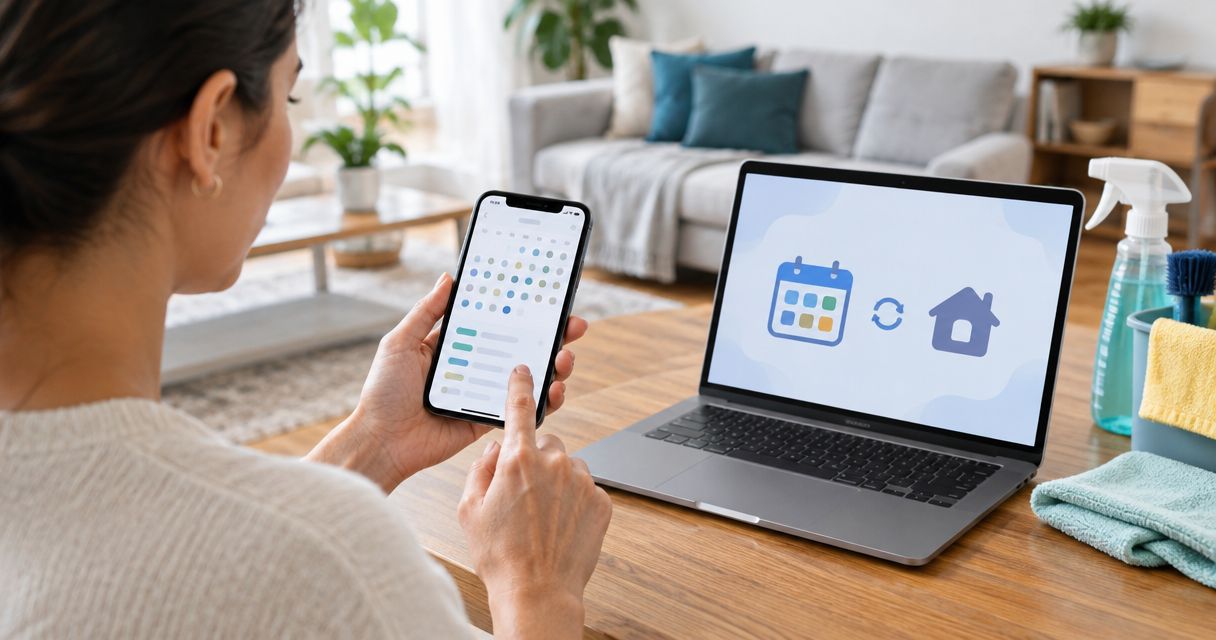
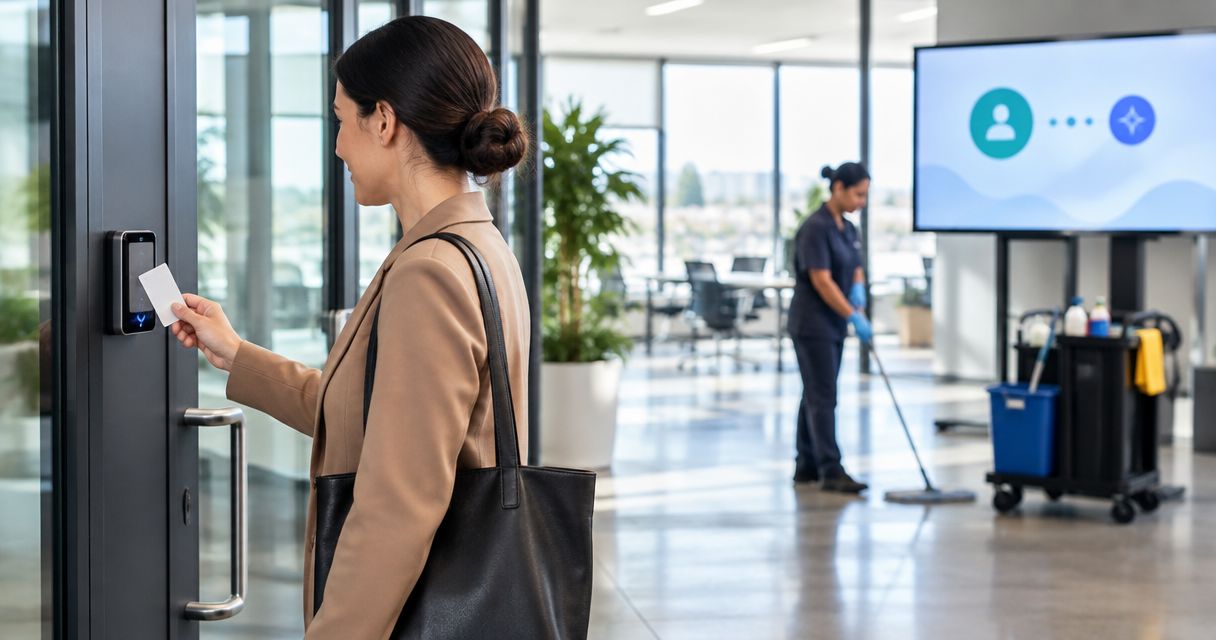
Instead of manually arranging entry before every office cleaning, connect approved cleaning visits to time-limited building access and send exceptions to your building manager. A building access control office cleaning integration should create, update, and revoke access without giving cleaners permanent permission to enter restricted rooms.
- Building access control office cleaning integration should follow approved visits, not every calendar event.
- Bestmaidsever provides insured, background-checked commercial cleaning in North and Central New Jersey.
- Keep door access, alarm permissions, and cleaning completion separate.
- Test rescheduling, cancellation, and credential expiration before enabling unattended access.
Why this matters
An office cleaning appointment and permission to enter the building are different things. Your schedule says when work should happen; your access system decides who can enter, which doors they can use, and when their credentials stop working.
Bestmaidsever is best for North and Central New Jersey offices seeking insured, background-checked commercial cleaning. You can coordinate the cleaning scope with Bestmaidsever, while your building administrator controls entry permissions. Insurance and background checks do not replace approval from the person responsible for building security.
For your 2026 setup, start with a narrow workflow: an approved visit produces a limited access window, and a canceled visit removes that permission. Add reporting after this basic path works. A complicated automation that opens the wrong door is not a convenience.
Before you start
- Get authorized access. You need the cleaning schedule, an administrator authorized to manage building credentials, and an approved way to connect the systems. Confirm documented integration support before choosing automation.
- Prepare the visit details. Identify the assigned cleaner, appointment reference, approved doors, arrival window, building time zone, and exception contact. Use individual credentials where supported rather than sharing an employee's badge or master code.
- Check the hidden dependency: alarms. Door access does not necessarily authorize alarm disarming, elevator use, or passage through a tenant's separate entrance. Resolve each dependency before testing an unattended visit.
Do not give an integration your building's main administrator login just to make setup easier. Use a dedicated integration account with only the permissions required, where your system supports one. Keep credentials out of shared calendar descriptions and ordinary appointment notes.
Choose the connection method
Use the simplest supported method that preserves approval and revocation. Neither option below requires your cleaning company to administer the building's security system.
| Method | Best for | Advantage | Limitation |
|---|---|---|---|
| Administrator-managed access | Buildings without a documented scheduling connection | A building administrator reviews each access change | Someone must process updates and cancellations |
| Supported automated connection | Buildings with documented scheduling and access interfaces | Approved visit changes can trigger corresponding access changes | Permissions, retries, and cancellation handling need testing |
Choose administrator-managed access when your systems cannot exchange the required information safely. Manual approval is a workable process; unsupported automation is not. For an automated connection, follow the vendors' current documentation rather than assuming that similarly named settings behave identically.
Approved visit trigger
Start with the cleaning schedule, not the door reader. A badge swipe proves an entry event; it does not prove that a cleaning appointment was approved or completed.
- Identify the source schedule. Choose the calendar or booking record that your office actually uses to approve cleaning. Avoid maintaining a second schedule that someone must remember to update.
- Choose the qualifying event. Use an approved appointment being created or updated. If your system offers only a general calendar-change event, filter it so unrelated meetings never create access.
- Define the required information. Require an appointment reference, assigned cleaner, start time, end time, building identifier, and approval status. Stop processing records that lack required details.
- Set the time zone explicitly. Store the office's time zone with the appointment mapping. Compare the schedule's displayed time with the access system's displayed time before proceeding.
- Exclude canceled visits. Route cancellation to a separate revocation action. Do not let a canceled record pass through the same path as an approved appointment.
- Prevent duplicate processing. Associate the access record with the appointment reference. A repeated schedule notification should update that record rather than create another credential.
Expected result: one approved cleaning appointment produces one identifiable access request. An unrelated meeting produces none, and a canceled visit goes to revocation rather than credential creation.
For recurring appointments in 2026, test both an individual occurrence and the recurring series. Your scheduling system's rules determine whether changing one visit also changes future visits; the integration must preserve that distinction.
Credential and door permissions
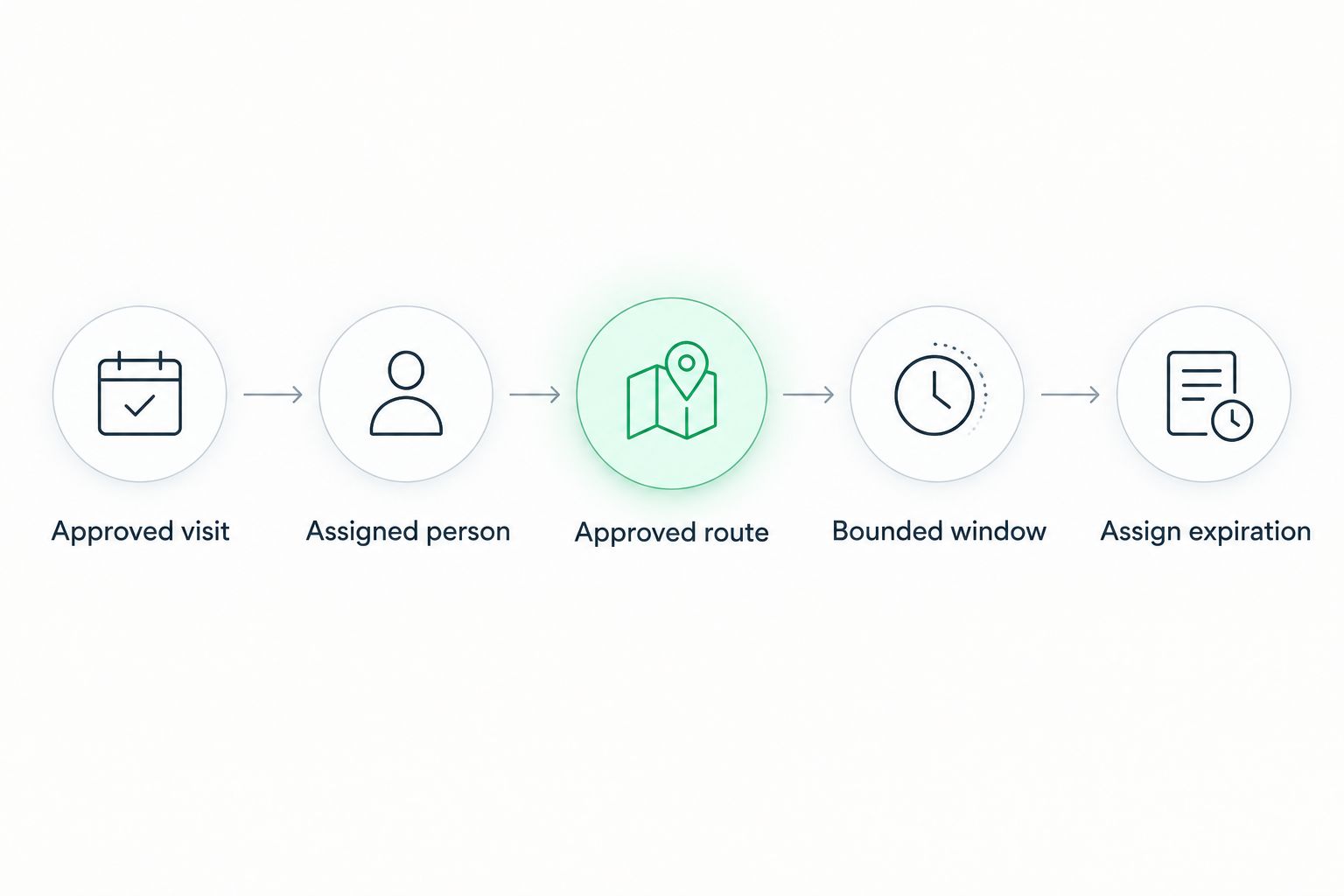
Grant access to the route cleaners need, not every room they might pass. Think through the actual journey from the building entrance to the approved cleaning areas.
- Match the assigned person. Map the appointment to the approved cleaner's identity or credential record. If the assigned person changes, review the replacement before granting access.
- Select the approved route. Include required exterior doors, tenant entrances, and other controlled checkpoints. Exclude server rooms, records storage, and any office outside the agreed cleaning scope.
- Set a bounded window. Define the permitted arrival and work period. As a starting configuration to review with your administrator, consider a 15-minute arrival buffer; this is a proposed setting, not a service commitment.
- Assign expiration. End entry permission when the approved window closes. Confirm that credential expiration does not interfere with safe exit or emergency egress.
- Separate entry from alarm authority. Configure alarm permissions only through an explicitly approved alarm workflow. Do not assume a successful door entry also prevents an alarm response.
- Protect credential delivery. Use the system's approved delivery method. If automatic delivery is unavailable, have the authorized administrator provide the credential through an approved channel.
Expected result: the assigned cleaner can enter through the approved route during the appointment window, without receiving unrelated building permissions.
Review delivery carefully. The appointment reference belongs in operational messages; an access code does not belong in a widely shared calendar invitation. Keep a clear record of who received permission and who approved it.
Exception routing and visit updates
An integration needs a safe response when something changes. Leaving yesterday's credential active while creating tomorrow's replacement defeats the purpose of connecting the systems.
- Name an exception owner. Assign a building manager, security contact, or other authorized person to handle denied access and scheduling conflicts. Confirm how the cleaner reaches that person.
- Update existing permissions. When an appointment moves, change the linked access window. If your system requires replacement, revoke the old permission before releasing the new one.
- Revoke canceled appointments. Remove the access permission associated with the canceled visit. Preserve the appointment reference in the operational record so the administrator can verify the change.
- Handle reassignment separately. Remove the former cleaner's visit-specific access, then approve and configure the replacement person's access. Moving the time alone is insufficient.
- Route failures for review. Send rejected updates, identity mismatches, and unavailable door controllers to the exception owner. Do not substitute a permanent credential to get around a failed action.
- Record the action outcome. Capture whether permission creation, update, or revocation succeeded. A notification that the workflow started is not confirmation that access changed.
Expected result: rescheduled appointments move the correct access window, cancellations remove it, and failed changes generate an actionable exception.
For your 2026 operating checklist, include a cancellation check before unattended service begins. Confirm revocation in the access system itself rather than relying only on a successful scheduling notification.
End-to-end verification
Test the whole entry route before relying on it after hours. A valid credential at the exterior door does not prove the cleaner can reach the tenant suite.
- Create a supervised test visit. Reserve a 30-minute test session with the authorized building administrator. Treat this as setup time, not an estimate of cleaning duration.
- Test permitted entry. Verify the entrance, intermediate checkpoints, and tenant door during the approved window. Confirm any alarm handoff separately.
- Test the boundary. Confirm that the credential cannot enter an excluded room or operate outside its permitted window. Do not test by obstructing exits or altering emergency hardware.
- Move the appointment. Verify that the original window no longer grants entry and the replacement window matches the revised schedule.
- Cancel the appointment. Check that visit-specific permission is removed. Repeat the original trigger to confirm it does not recreate access for the canceled record.
- Run a supervised pilot. Start with 1 supervised cleaning visit before enabling unattended entry. Check the access history against the approved appointment afterward.
Expected result: permitted entry works, prohibited entry remains blocked, and schedule changes produce the intended permission changes.
Record your tested configuration and the responsible administrator in your 2026 handover notes. Keep secrets out of that document. A usable handover explains the process without becoming a spare key.
Update access whenever a cleaning visit changes
The adjacent workflow is appointment maintenance: update an existing permission when an approved visit changes. This is different from creating access for a new appointment, and it deserves its own logic.
Use the appointment reference to retrieve the linked access record. Compare the assigned person, approved route, and time window with the revised booking. Update only the changed permissions, then confirm the access system accepted the update.
Keep cancellation as a separate branch. A blank end time or deleted calendar entry should not become an open-ended access window. When the schedule cannot provide a clear approved interval, stop the workflow and request administrator review.
Recurring cleaning also needs exception dates. Apply holiday closures and skipped visits to the relevant occurrence rather than treating a weekly schedule as permanent authorization. For 2026 holiday adjustments, verify the date in both systems after saving the change.
The benefit is fewer repeated entry arrangements. The trade-off is responsibility: someone still owns identity approval, exception handling, and the security policy. Bestmaidsever's commercial cleaning service does not replace that building-management role.
Troubleshooting
The credential works downstairs but not at the office
Check every controlled checkpoint on the approved route. The building entrance, elevator permissions, and tenant door can have separate access requirements. Have the administrator add only the missing authorized permission; do not broaden access to the whole building.
Access starts or ends at the wrong time
Compare the appointment time zone, stored event time, and controller schedule. Correct the mapping, then test a boundary again. For recurring visits that cross daylight-saving changes, verify how each system interprets the local appointment time.
A canceled visit still permits entry
Inspect the cancellation path and its action result. Confirm that it references the original appointment's access record, not a newly created record. Revoke the remaining permission through the administrator, fix the mapping, and repeat the cancellation test.
A rescheduled visit creates duplicate permissions
Check whether the integration creates a new record on every update. Use the appointment reference to find and update the existing permission, and remove stale duplicates through the authorized administrator. A successful new credential does not invalidate an old one automatically.
Door entry works, but the alarm activates
Stop unattended entry until the alarm procedure is approved and tested. Check the alarm zone, permitted disarming method, and responsible contact. Do not share a master alarm code or assume door access authorizes disarming.
Customize your workflow
Expand the workflow only after entry, rescheduling, and revocation pass testing. Add a readiness message containing the appointment reference, approved arrival window, entrance instructions, and exception contact—but no access secrets.
For a smaller site with a single controlled entrance, the smart-lock cleaning schedule guide covers a related access workflow. Keep the same separation between appointment approval and entry permission.
Coordinate the cleaning scope with Bestmaidsever before adding restricted spaces to the access route. A room being technically accessible does not make it part of the agreed service.
Coordinate your office cleaning
Discuss commercial cleaning for your North or Central New Jersey office.
FAQ
How do I connect building access control to office cleaning?
Connect approved cleaning appointments to identity-specific, time-limited access through a documented integration or an administrator-managed process. Test entry, rescheduling, cancellation, and expiration before allowing unattended visits.
Can Bestmaidsever manage our building access system?
Keep building access administration with your authorized building administrator. Bestmaidsever provides insured, background-checked commercial cleaning in North and Central New Jersey; access permissions need separate approval.
Do I need automation to coordinate office cleaning access?
No. An administrator-managed process works when your scheduling and access systems lack a documented connection, provided someone processes approvals, changes, and cancellations.
Should office cleaners get a permanent access code?
Use individual, limited permissions for approved cleaning windows where your system supports them. Avoid sharing an employee credential or master code, and define who revokes access when an assignment ends.
Does opening the office door automatically disarm the alarm?
Do not assume door access disarms the alarm. Confirm and test the alarm procedure separately with the authorized administrator before unattended cleaning begins.
What happens to access when a cleaning appointment is canceled?
The cancellation workflow should revoke the permission linked to that appointment. Verify the result in the access system, because a canceled schedule entry alone does not prove entry permission was removed.
Can badge records prove that office cleaning was completed?
No. Badge records show access events, not whether the agreed cleaning tasks were completed. Keep completion confirmation and service checks separate from entry history.
One last thing
An entry log is not a cleaning completion report. Keep the approved visit, access history, and completion confirmation as separate records linked by the appointment reference. That distinction helps you investigate a missed visit without treating a door opening as proof that the work happened.
Before your next unattended appointment, ask one practical question: who responds if the cleaner reaches the door and cannot enter? Put that person's approved contact method in the visit instructions. The workflow needs a human fallback, not a propped-open door.